

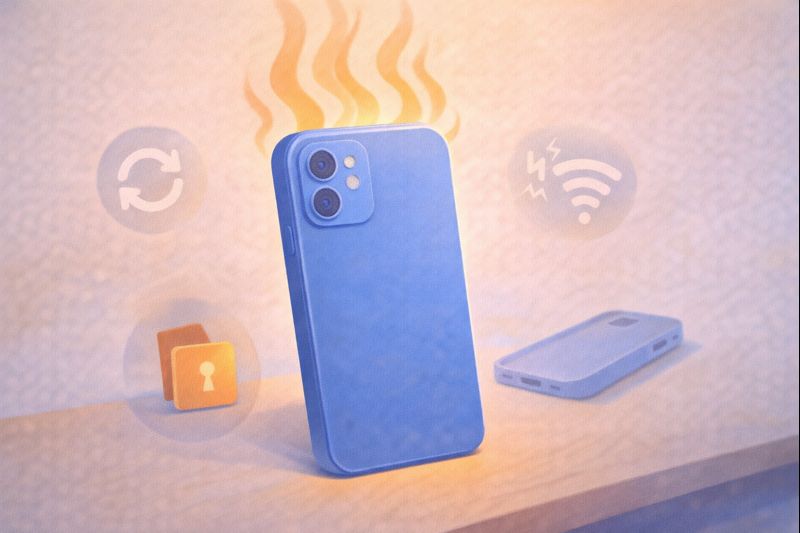
Have you ever pulled your phone from your pocket or picked it up off the nightstand and been surprised to find it’s warm, or even downright hot? It’s a weird feeling, right? You weren’t gaming, streaming a movie, or video chatting. The screen was off, and it was just sitting there, minding its own business. So, why does your phone get hot even when you’re not using it?
First, don’t panic. In most cases, a little warmth is completely normal and not a sign that your phone is broken or about to explode (that’s an internet myth!). Your smartphone is a tiny, powerful computer, and sometimes it has work to do behind the scenes, just like you might get warm after a brisk walk even if you’re just standing still.
Think of it like your body’s own quiet energy burn. Let’s explore the common, everyday reasons your phone might be having its own little “workout” while you’re busy doing other things. The answer often lies in tasks you can’t see.
It’s Working Hard Behind the Scenes
Just because you’re not actively tapping the screen doesn’t mean your phone is completely asleep. For it to be useful, it needs to stay somewhat alert. This background activity is the number one culprit for unexpected warmth.
Imagine your phone is a small office building after hours. The main lights (your screen) are off, but the security guard (the operating system) is still making rounds, the janitor (cache cleaner) is tidying up, and the mailroom (your apps) is still processing some late deliveries. All this takes energy, which creates a bit of heat.
Example: You got a new photo from a group chat. Even if you don’t open it right away, your messaging app might be downloading it, preparing a preview, and backing it up to the cloud. That’s work! A few apps doing this can make the phone’s processor (its brain) warm up.
The key is that this is passive heat. It’s a side effect of normal, useful functions. However, sometimes these background tasks can get out of hand if an app isn’t behaving itself. This leads us to the most common cause of problematic heat: a misbehaving app.
The App That Won’t Quit: Background App Activity
This is the prime suspect in many “mystery heating” cases. Some apps are very clingy. Even after you swipe them away, they don’t fully close. They stay running in the background, constantly checking for updates, refreshing your location, or trying to sync data. When an app gets stuck in a loop or is poorly designed, it can demand your phone’s attention non-stop, like a toddler repeatedly asking “Are we there yet?” on a road trip. This constant demand makes your phone’s processor work overtime, generating noticeable heat.
How to spot this
If your phone feels unusually warm and the battery seems to be draining faster than normal for no reason, a rogue app is a likely cause. The heat and the battery drain are two symptoms of the same problem. It’s something is using power when it shouldn’t be.
What you can do
A simple restart can often fix this by closing every single app process and giving the system a fresh start. If the problem keeps happening, you can check your phone’s battery settings (in Settings > Battery on both iPhone and Android). You will see apps that have been using the most power recently. This can help you identify the troublemaker. While apps are a major cause, your phone is also constantly talking to the outside world, and that takes effort, too.

Searching for a Signal: Poor Connectivity
Have you ever felt extra tired after shouting to have a conversation in a loud room? Your phone feels the same way when it has a weak signal. Whether it’s Wi-Fi or cellular data, when the connection is poor, your phone has to work much harder to maintain a link.
It will constantly boost its internal radio power, searching for a stronger signal or trying and retrying to send data packets. This radio effort uses a lot of energy and creates heat. You might notice this in places like basements, rural areas, or crowded stadiums.
- Real-life scenario: You’re on a road trip, and your phone is in the cup holder. You’re not using it, but it’s bouncing between different cell towers as you drive, struggling to maintain a steady connection. An hour later, you pick it up, and it’s warm to the touch. This is a classic case of signal-search heat.
This is a normal physical reaction, not a flaw. But it’s a good reminder that sometimes the environment is asking your phone to work harder. Speaking of environment, the space around your phone plays a huge role in how warm it feels.
Trapped Heat: The Case and the Cushion
Your phone cools itself naturally by dissipating heat through its metal or glass body. Think of it like sweating—the heat needs to escape into the air. Anything that traps that heat will make the phone feel hotter.
- A Thick Case: While great for protection, some heavy-duty cases are like putting your phone in a winter coat on a summer day. They insulate the heat.
- Where You Leave It: Placing your phone on a soft surface like a bed, couch, or blanket is a big one. The fabric blocks the vents (if it has any) and prevents air circulation. The same goes for leaving it in a tightly packed bag, a closed car console, or most dangerously in direct sunlight, like on a car dashboard.
In these situations, the phone might only be generating a normal amount of internal heat from background tasks, but because that heat has nowhere to go, it builds up, making the device feel much warmer than it actually is. This trapped heat is also the most common reason phones can get dangerously hot, which brings us to a very important point: when should you actually be concerned?
When Warm Becomes a Warning: Signs to Watch For
A phone that’s slightly warm to the touch is almost always fine. However, you should pay attention if you notice any of the following, as they could indicate a more serious hardware or battery issue:
- Extreme Heat: The phone is so hot it’s uncomfortable to hold for more than a few seconds.
- A Swollen Battery: If the back of the phone is bulging or the screen is lifting up, stop using it immediately. This is a sign of a failing battery that can be dangerous. Place the phone in a safe, non-flammable area and contact the manufacturer or a reputable repair shop.
- Unexpected Shutdowns or Performance Warnings: The phone turns off by itself or displays a temperature warning message on the screen.
- Rapid Battery Drain When Idle: The battery percentage drops dramatically (e.g., 30% in an hour) while the phone is just sitting with the screen off.
A 2022 report by the U.S. Consumer Product Safety Commission (CPSC) continues to highlight that battery-related incidents, often involving swelling or overheating, are a persistent safety focus across all consumer electronics. This underscores why paying attention to these warning signs is important.
If you experience any of these, it’s best to turn the phone off, let it cool down in a cool, ventilated place (not the refrigerator!), and seek professional advice. For the everyday warmth, a few simple habits can make a big difference.
Simple Habits for a Happier Phone
You don’t need to be a tech expert to help your phone run cooler. A few easy changes can prevent most heat issues:
- Close Apps You’re Done With: Get in the habit of swiping apps fully closed when you’re finished with a session, especially games and social media.
- Update Everything: Keep your phone’s operating system and apps updated. Updates often include bug fixes that stop apps from misbehaving and draining battery in the background.
- Mind Its Environment: Take your phone out of its case if you’re charging it or if you notice it’s warm. Never leave it charging on a soft surface or in direct sunlight. A hard, flat surface is best.
- Adjust Settings for Downtime: When you know you won’t need connectivity (like at night), you can turn on Airplane Mode or turn off Mobile Data/Wi-Fi. This stops the constant signal search and background syncing.
- Check for the Culprit: Use your phone’s built-in battery usage tool to see if a specific app is the source of the heat and battery drain.
Adopting just one or two of these habits can solve most of your phone’s mysterious heating episodes. Let’s wrap up by answering a few final, common questions.
Conclusion
Phones get hot even when you’re not using them because they are rarely truly idle. Background tasks, network activity, charging, and environment all play a role.
Most of the time, warmth is normal and temporary. With a bit of awareness and a few simple habits, you can keep your phone cooler and working smoothly.
Leave feedback about this