


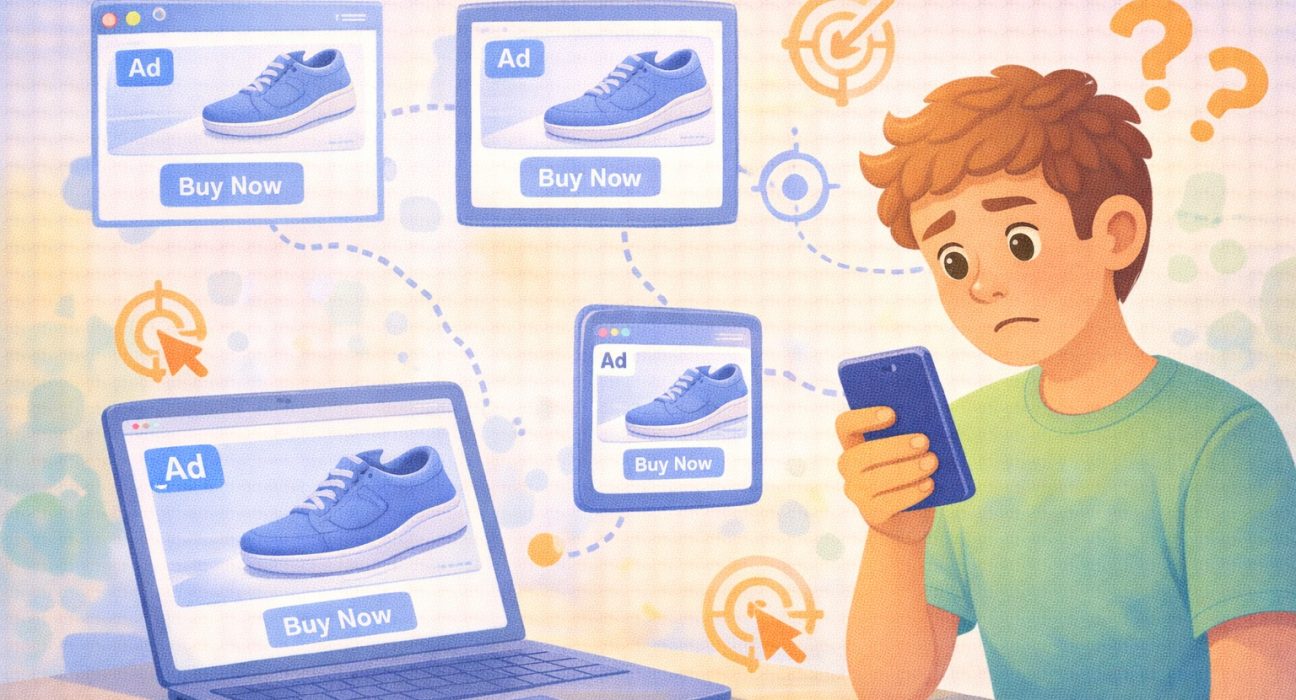
Why you keep seeing the same ads everywhere is something many people quietly wonder about.
You search for a pair of shoes once. Later that day, the same shoes appear on Instagram. Then YouTube. Then a news website. It starts to feel almost personal, like your phone is listening to you. It can be uncomfortable, confusing, and sometimes a little unsettling. But in most cases, the explanation is simpler than it seems.
You’re not being followed by a person. Instead, you’re being tracked by systems that are designed to remember what you look at online and show you related ads later. This practice is common across the internet and relies on tools like cookies, ad networks, and data matching.
In this article, we’ll break down why you keep seeing the same ads everywhere, how online ad tracking works in simple terms, and what you can do if you want to reduce it.
Let’s start with the most basic idea behind it: tracking.
The Internet Remembers What You Click
Every time you:
- Visit a website
- Click on a product
- Watch a video
- Search for something
You leave small digital traces behind.
These traces do not usually include your private messages or personal thoughts. Instead, they include browsing behavior like:
- Pages viewed
- Time spent on a product
- Items added to a cart
Advertising systems use this information to guess what might interest you next. This process explains why ads often feel connected to recent activity.
Now let’s look at one of the key tools that makes this possible: cookies.
What Are Cookies
Cookies are tiny files stored in your browser when you visit a website.
Think of them like sticky notes that say:
- “This person visited this page.”
- “looked at this product.”
- “logged in before.”
Cookies help websites remember settings and improve user experience. However, advertising networks also use certain cookies to track browsing across multiple websites.
If several sites use the same advertising partner, that partner can recognize your browser and continue showing related ads.
That’s how the same product appears on different platforms.
Understanding cookies leads naturally to another key concept: ad networks.


How Ad Networks Connect Different Websites
Many Sites Share the Same Advertising Systems Most websites don’t run ads independently. They use large advertising networks that place ads across thousands of sites and apps.
Here’s how it works:
- You visit an online store.
- That store works with an ad network.
- The network records your interest in a product.
- Later, you visit a different website that uses the same ad network.
- The network shows you the same product again.
The websites may be different, but the ad network behind them is often the same.
This explains why ads seem to “follow” you across the internet. But tracking doesn’t stop at websites. It can extend across devices too.
Why You See Ads on Multiple Devices
You might notice:
- You search for something on your laptop.
- Later, the ad appears on your phone.
This happens because:
- You are logged into the same account (like Google or social media).
- The ad system connects your devices through that account.
It doesn’t mean someone is watching you personally. It means the advertising platform connects your devices based on login data.
This connection makes ad targeting more consistent.
Now let’s talk about something that worries many people: is your phone listening?
Is Your Phone Listening to You?
Most mainstream ad systems do not rely on secretly recording conversations.
Instead, they rely on:
- Search history
- Website visits
- App activity
- Location patterns
Sometimes, ads feel “creepy” because:
- You searched for something earlier.
- A friend nearby searched for it.
- It’s trending in your area.
Human memory is selective. We notice ads that match recent thoughts and ignore unrelated ones.
That said, privacy concerns around data tracking are real and worth understanding.
What Privacy Reports Say About Data Tracking
Organizations like the Federal Trade Commission (FTC), along with reporting from The Guardian and The Wall Street Journal, have highlighted concerns about how companies collect, store, and use personal data for advertising.
In various data breach reports and investigations:
- Large databases containing user information were exposed.
- Advertising data was found to be more detailed than users realized.
- Data brokers were shown to trade browsing profiles.
This does not mean every ad system is unsafe. However, it shows why awareness and control tools matter.
Now that we understand how ads follow you, let’s look at what you can do.
Are Smart Devices Listening to You? What the Evidence Shows and How to Protect Your Privacy
How to Reduce Seeing the Same Ads Everywhere
Step 1: Clear your browser cookies
Clearing cookies resets some tracking history.
Most browsers allow this under:
Settings → Privacy → Clear browsing data
Step 2: Adjust Ad personalization settings
Major platforms offer ad preference settings where you can:
- View interests assigned to you
- Remove certain categories
- Turn off personalized ads
Step 3: Use private browsing for certain searches
Private or incognito mode limits cookie storage for that session.
Step 4: Limit cross-app tracking (on phones)
Both Android and iOS devices allow you to:
- Disable ad tracking
- Reset advertising ID
These small adjustments reduce repetitive ads.
Common Questions
1. Are companies spying on me personally?
No. Systems use automated data patterns, not human monitoring.
2. Can I completely stop seeing targeted ads?
You can reduce them, but ads may still appear.
3. Why do I still see ads after buying something?
The system may not know you completed the purchase.
4. Do ad blockers solve everything?
They reduce many ads but may affect website functionality.
5. Is personalized advertising illegal?
It is regulated in many regions, not banned entirely.
Conclusion:
When you keep seeing the same ads everywhere, it’s not magic or mind reading. It’s tracking systems working across websites, apps, and devices.
Understanding cookies, ad networks, and cross-device tracking helps remove the mystery. With a few simple adjustments, you can reduce how often ads follow you around.
Now that you understand why you keep seeing the same ads everywhere, the next step is learning how small privacy settings quietly shape your online experience.