
When AI writes the code, it often feels surprisingly easy, and that’s exactly why it can quietly become a problem.
You type a short description. The AI responds with working code. No syntax errors. No long hours staring at the screen. It can feel like magic, especially if you’re new to programming or not technical at all. Many people experience a mix of excitement and relief: “I built something, and I didn’t even struggle.”
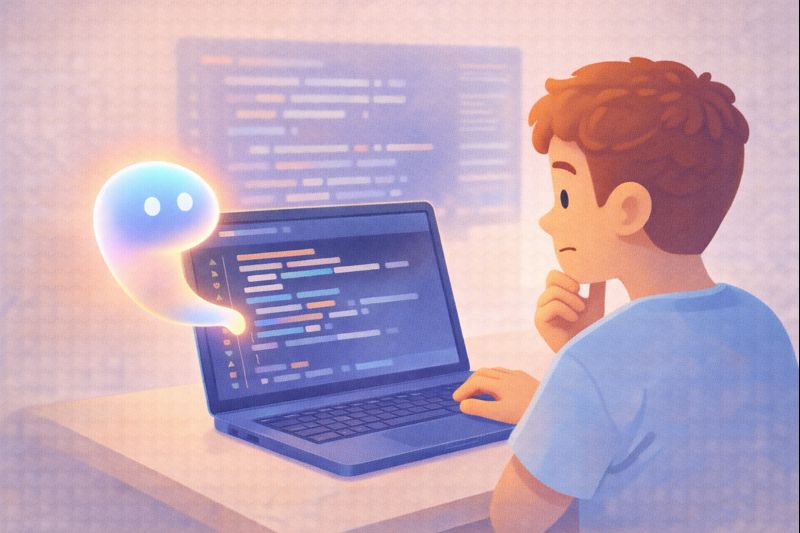
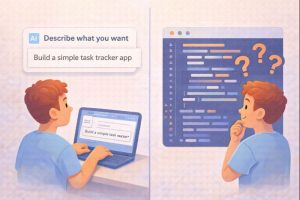
But after that excitement fades, a different feeling sometimes appears. When the code doesn’t behave as expected, or something breaks, you may not know where to start. You didn’t write the logic yourself. You trusted the output. And now, fixing it feels harder than building it.
This article explores why AI-generated code feels so easy, what gets lost when understanding is skipped, and how beginners can use AI wisely without losing control. We’ll walk through it step by step, in plain language, without assuming any technical background.
Let’s begin by understanding why AI coding feels so effortless in the first place.
Why AI Writing Code Feels So Easy
AI Removes the Hardest Part First
For beginners, the hardest part of coding is often not the idea, but the translation. You know what you want the program to do, but you don’t know how to explain it in a way a computer understands.
AI removes that barrier. You describe the outcome, not the process.
Instead of learning:
- Rules
- Syntax
- Structure
- Error messages
You simply explain the goal. The AI fills in the gaps.
This shift creates instant results, which feels empowering. And that feeling is real. But it also sets up a subtle dependency, which becomes clearer when something goes wrong.
The Shift: From Syntax to “Vibe”
Traditional coding requires precision. You tell the computer exactly what to do, step by step.
AI coding tools change that. You describe the vibe of the result:
- “Build a simple login form”
- “Create a small app that tracks tasks”
- “Fix this error”
The AI interprets your request and generates code it believes matches your intention.
This approach lowers the entry barrier. It lets more people create things. That’s a good thing.
However, it also means many users skip learning why the code works. That gap matters later, and it leads us directly to the main conflict.
The Black Box Problem
When Things Break, Understanding Is Missing
A “black box” is something that works, but you don’t know how it works inside. AI-generated code often becomes a black box for beginners. When the output works, everything feels fine. When it doesn’t:
- Errors feel confusing
- Debugging feels impossible
- Small changes cause unexpected results
You might find yourself repeatedly asking the AI to “fix it” without knowing what actually changed. This can create a new kind of frustration. The tool that made things easy now makes you feel helpless.
Understanding this problem is not about blaming users or tools. It’s about recognizing what’s missing.

Why Fundamentals Still Matter (Even Now)
Understanding Gives You Control. Learning the basics of how code works doesn’t mean writing everything from scratch. It means understanding enough to:
- Read code without fear
- Spot obvious mistakes
- Know what to ask for
- Recognize when something looks wrong
This level of understanding is often called deep literacy, not deep expertise. In a prompt-first world, deep literacy helps you stay in charge. It turns AI from a crutch into a helper. Once you understand this, the relationship with AI tools changes in a healthy way.
AI Is Fast, Not Thoughtful
Speed Can Hide Mistakes. AI can generate code very quickly. Speed is impressive, but it also hides issues.
AI may:
- Use outdated patterns
- Miss edge cases
- Add unnecessary complexity
- Solve the wrong problem
Because the code “looks right,” beginners often assume it is right. Reports and discussions referenced by organizations such as the Federal Trade Commission, along with coverage by The Guardian and The Wall Street Journal, have shown that automated systems can introduce risks when users trust outputs without understanding them. This applies to data, security, and software behavior.
The Working App That Breaks Later
Imagine a student builds a small web app using AI. At first:
- The app runs
- Buttons work
- Data displays correctly
Later:
- The app crashes after a small update
- An error message appears
- Nothing loads
The student didn’t write the logic. They don’t know where the problem lives. The only option feels like asking the AI again. Understanding even basic concepts would make troubleshooting easier. That’s the quiet lesson many beginners learn the hard way.
How Beginners Can Use AI Without Losing Skills
Treat AI Output as a Draft
AI-generated code should be treated like a first draft, not a final answer. Read through it slowly. Ask:
- What does each part do?
- Can I simplify?
- What looks unfamiliar?
This habit builds understanding naturally.
Ask “Why,” Not Just “Fix”
Instead of asking:
“Fix this error”
Try:
“Explain why this error happens”
This shifts AI from problem-solver to teacher. Over time, this builds confidence.
Change One Thing at a Time
If you modify AI-generated code:
- Change one small part
- Observe what happens
- Learn from the result
This reduces fear and builds intuition.
Learn Just Enough Fundamentals
You don’t need to master everything. Focus on:
- Basic structure
- Common errors
- How data flows
That foundation goes a long way.
Why This Matters for Students and Non-Technical Users
Confidence Comes From Understanding. Students often worry that using AI means “cheating” or “not really learning.” The truth is more balanced. AI can support learning, but understanding protects confidence.
When you know what’s happening:
- You rely less on blind trust
- Ask better questions
- You feel less like a fraud
That emotional shift matters just as much as technical skill.
Common Myths About AI Writing Code
“If AI Does It, I Don’t Need to Learn”
Learning helps you use AI better, not less.
“Understanding Code Takes Too Long”
You only need the basics to stay in control.
“Everyone Else Knows More Than Me”
Most people are learning as they go, just like you.
Clearing these myths reduces pressure and keeps learning healthy.
The Balanced View: AI as a Partner, Not a Replacement
AI is not the enemy. It’s also not a substitute for understanding.
Used well, AI:
- Speeds up work
- Reduces frustration
- Helps beginners start
Used blindly, it:
- Creates dependency
- Hides mistakes
- Reduces confidence
Balance is the key.
FAQ
1. Is it bad to use AI to write code?
No. It’s a tool. How you use it matters.
2. Do I still need to learn coding basics?
Yes, but only enough to understand what’s happening.
3. Can AI replace programmers completely?
No. Human judgment and understanding still matter.
4. Why does AI-generated code sometimes fail?
It predicts patterns, not guaranteed correctness.
5. How do I know if AI code is safe?
Understanding basics helps you spot issues early.
Is AI smarter than humans, or does it just work differently?
Conclusion: Easy Isn’t the Same as Empowering
When AI writes the code, it feels easy because it removes friction. That’s powerful. But ease without understanding can quietly turn into a problem.
The goal isn’t to reject AI or fear it. The goal is to use it with awareness. When you combine AI’s speed with your own understanding, you gain control instead of losing it.
Now that you understand why AI-written code feels easy, and why that can be a problem, the next step is learning how to grow alongside AI without giving up your own thinking skills.