
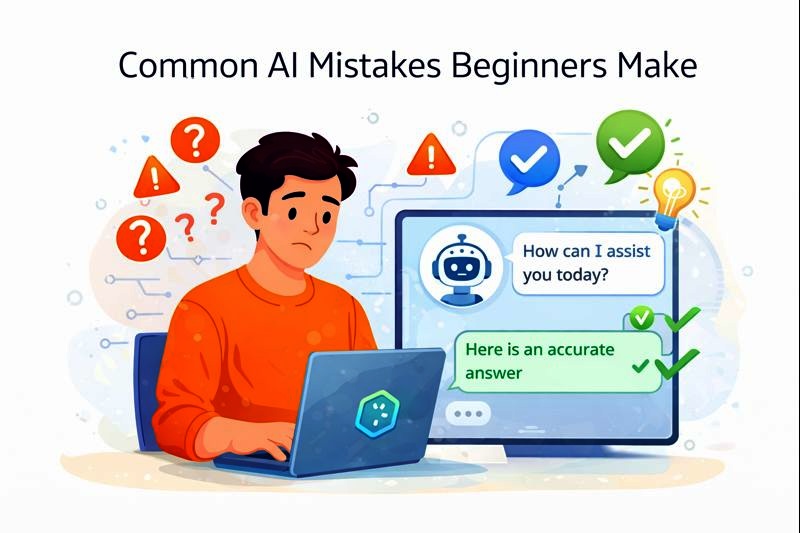
Using AI for the first time can feel exciting and a little confusing. One moment it gives a clear answer, and the next moment it says something that doesn’t quite make sense. Many beginners wonder, “Am I using this the right way?”
If you are a student who has asked AI to explain a topic before an exam, or someone who used it to help write an email or organize tasks, you are not alone. Most beginners make small mistakes at the start not because they are doing something wrong, but because AI works differently from humans.
AI is not a teacher, a friend, or a mind reader. It is a tool. When you understand its limits and how to use it properly, it can be very helpful. This article walks you through the most common mistakes beginners make when using AI, explains why they happen, and shows simple ways to avoid them using clear language and everyday examples.
Understanding AI Before Using It
Before looking at the mistakes, it helps to understand one important point:
AI is a tool, not a human replacement.
AI works by analyzing data and patterns. It does not think, feel, or truly understand like a person. Keeping this in mind will help you avoid many common beginner mistakes.
Mistake 1: Expecting AI to Be Perfect
Why Beginners Make This Mistake
Many beginners assume AI always gives correct answers. When an AI tool writes smoothly or sounds confident, it can feel trustworthy.
Why This Is a Problem
AI can:
- Give outdated information
- Miss context
- Make errors
- Provide answers that sound right but are incomplete
Example
A student asks an AI tool to explain a topic for an exam and studies only that answer without checking other sources. If the explanation is incomplete, the student may misunderstand the topic.
How to Avoid This Mistake
- Always double-check important information
- Use AI as a starting point, not the final answer
- Compare AI responses with textbooks, notes, or trusted websites
Mistake 2: Asking Vague or Unclear Questions
Why Beginners Make This Mistake
New users often do not know how to phrase questions properly. They type very short or unclear prompts.
Why This Is a Problem
AI gives better answers when the question is clear. Vague questions usually lead to vague or confusing responses.
Example
Instead of asking:
“Explain math”
A better question would be:
“Explain fractions in simple terms for a beginner”
How to Avoid This Mistake
- Be specific
- Include context
- Mention your level (beginner, student, etc.)
Clear questions lead to clearer answers.
Mistake 3: Relying Too Much on AI for Learning
Why Beginners Make This Mistake
AI makes learning feel faster and easier. Some users stop thinking deeply and let AI do all the work.
Why This Is a Problem
Learning requires understanding, practice, and thinking. If AI does everything, real learning may not happen.
Example
A student uses AI to answer homework questions without trying to solve them first. The student finishes quickly but learns very little.
How to Avoid This Mistake
- Try solving problems yourself before using AI
- Use AI to explain concepts, not replace effort
- Ask AI to guide you step by step instead of giving final answers
Mistake 4: Copying AI Content Without Reviewing It
Why Beginners Make This Mistake
AI-generated text often sounds well-written. Beginners may copy and paste without checking.
Why This Is a Problem
AI content may:
- Contain mistakes
- Use complex words unsuitable for your level
- Sound unnatural or off-topic
Example
A student submits an AI-written essay without reading it carefully. The essay includes ideas the student does not understand or incorrect information.
How to Avoid This Mistake
- Always read AI-generated content
- Edit it in your own words
- Make sure you understand what you submit
How AI Can Improve Productivity
Mistake 5: Not Setting Clear Limits for AI Use
Why Beginners Make This Mistake
AI tools are convenient, so users may rely on them for everything.
Why This Is a Problem
Overuse can:
- Reduce independent thinking
- Lower creativity
- Create dependency
Example
A user uses AI to write every email, message, and note, even simple ones.
How to Avoid This Mistake
- Decide which tasks truly need AI help
- Use AI mainly for repetitive or difficult tasks
- Practice doing simple tasks on your own
Mistake 6: Ignoring Privacy and Personal Data Safety
Why Beginners Make This Mistake
Many users do not think about what information they share with AI tools.
Why This Is a Problem
Sharing personal or sensitive data can be risky.
Example
A user enters private details like passwords, personal documents, or sensitive messages into an AI tool.
How to Avoid This Mistake
- Do not share personal or sensitive information
- Read basic privacy guidelines of the tool
- Treat AI like a public assistant, not a private diary
Mistake 7: Believing AI Understands Emotions Like Humans
Why Beginners Make This Mistake
AI responses can sound friendly or emotional.
Why This Is a Problem
AI does not truly understand feelings or personal situations.
Example
A student expects AI to fully understand stress or motivation struggles and give perfect emotional guidance.
How to Avoid This Mistake
- Remember AI responds based on patterns, not emotions
- Use AI for information and structure
- Seek human support when emotional understanding is needed
Mistake 8: Using AI Without Clear Goals
Why Beginners Make This Mistake
Some users open AI tools without knowing what they want to achieve.
Why This Is a Problem
Without a goal, AI usage becomes confusing or unproductive.
Example
A student randomly asks questions without connecting them to a study plan.
How to Avoid This Mistake
- Decide your goal first (study, write, plan, understand)
- Ask AI questions that support that goal
- Use AI as part of a clear routine
Mistake 9: Expecting AI to Replace Human Skills
Why Beginners Make This Mistake
AI can write, summarize, and organize quickly.
Why This Is a Problem
Human skills like creativity, judgment, and communication are still essential.
Example
A user assumes AI can replace learning communication skills or problem-solving abilities.
How to Avoid This Mistake
- Use AI to assist, not replace skills
- Practice thinking and decision-making independently
- Treat AI as support, not a substitute
Mistake 10: Getting Frustrated Too Quickly
Why Beginners Make This Mistake
AI does not always give perfect results on the first try.
Why This Is a Problem
Beginners may give up too early and miss the benefits.
Example
A user tries AI once, gets a confusing answer, and stops using it.
How to Avoid This Mistake
- Rephrase questions
- Ask follow-up questions
- Practice using AI regularly
Like any tool, AI improves with experience.
Tips for Beginners to Use AI Better
Start Simple
Begin with basic tasks like summaries or explanations.
Learn by Doing
Experiment and see what works best for you.
Stay Curious
Ask “why” and “how” questions, not just “what.”
Keep Control
Always review and understand AI outputs.
Conclusion
Learning how to use AI takes time, just like learning any new tool. Making mistakes at the beginning is normal. What matters most is understanding why those mistakes happen and knowing how to adjust.
AI works best when you stay involved—by asking clear questions, checking answers, and thinking for yourself. It can support your learning, save time, and make tasks easier, but it should never replace your own understanding or effort.
If you are a student or a non-technical user, start small. Use AI to explain topics, organize ideas, or guide you step by step. With practice and balance, AI becomes less confusing and more useful—like a helpful assistant that supports you while you stay in control.