
Artificial Intelligence (AI) can sound intimidating at first. Many people imagine robots, complicated machines, or something only programmers understand. But in reality, AI is already part of everyday life even if you have never noticed it.
If you have ever used your phone to correct a typo, received an email reminder, or watched a movie recommended just for you, then you have already benefited from AI. These small conveniences save time, reduce effort, and help people get more done in a day.
For students and non-technical users, productivity is not about working harder or longer hours. It is about studying smarter, staying organized, and spending less time on repetitive tasks. This article explains, in simple language, how AI can help you do exactly that step by step, with clear examples anyone can understand.
No technical background is required. Think of AI as a helpful assistant that supports your daily tasks rather than something complex or overwhelming.
Now let’s start with the basics: what AI really is and how it shows up in tools you already use.
What Is AI? A Simple Explanation
AI stands for Artificial Intelligence. In simple words, AI is technology that helps computers or software perform tasks that usually require human thinking. These tasks include understanding text, recognizing patterns, organizing information, and making suggestions.
AI does not think like a human or have emotions. Instead, it works by learning from large amounts of data and following rules to give useful results.
Now that we understand what AI means in simple terms, let’s explore how it actually shows up in the tools you use every day.
Everyday examples of AI you already use
- Email spam filters that remove unwanted messages
- Phone keyboards that suggest the next word
- Maps that suggest faster routes
- Streaming apps that recommend movies or music
These tools save time and reduce effort, which is exactly how AI improves productivity.
These simple examples may seem small, but they highlight how AI reduces effort and saves time — which leads right into our next question: what does productivity really mean?
What Does Productivity Really Mean?
Productivity is about getting more done with less effort or time. It does not mean working nonstop or rushing. Instead, it means:
- Completing tasks faster
- Making fewer mistakes
- Staying organized
- Focusing on what matters most
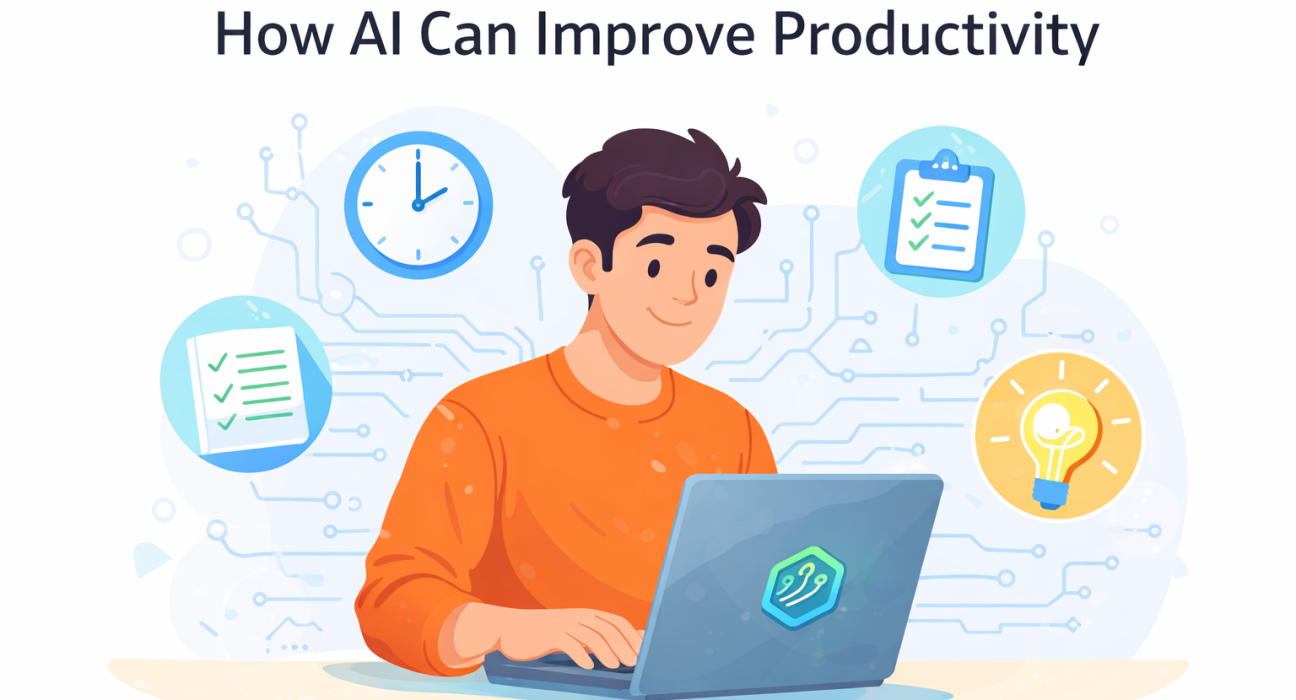
AI helps by handling repetitive or time-consuming tasks, allowing people to focus on learning, creativity, or decision-making.
With a clear sense of what productivity looks like, we can see how AI helps improve it step by step.
How AI Improves Productivity Step by Step
Automating repetitive tasks
Many daily tasks are repetitive. These tasks may seem small, but they take up a lot of time.
Examples:
- Sorting emails
- Scheduling meetings
- Renaming files
- Entering basic data
AI tools can automate these tasks. Once set up, they work in the background without constant attention.
How this helps:
- Saves time
- Reduces tiredness
- Lowers the chance of simple mistakes
For students, this could mean automatic reminders for deadlines. For workers, it could mean fewer hours spent on manual organization.
Helping with writing and reading
Writing and reading take time, especially when dealing with long texts or assignments. AI tools can help in supportive ways.
Writing support
AI can:
- Suggest clearer sentences
- Fix spelling and grammar
- Help rewrite text in simpler words
This is useful for:
- Students writing essays
- People sending emails
- Non-native English speakers
AI does not replace your ideas—it helps express them more clearly.
Reading support
AI can:
- Summarize long articles
- Highlight key points
- Convert text to speech
This helps users understand information faster, especially when studying or researching.
Improving time management
Managing time is one of the biggest challenges for students and workers. AI-powered tools can assist by organizing tasks and schedules.
Examples:
- Calendar apps that suggest meeting times
- Task lists that prioritize urgent work
- Reminders based on deadlines
Instead of remembering everything, users can rely on AI to track tasks and notify them at the right time.
Result:
- Less stress
- Better focus
- Fewer missed deadlines
Supporting learning and studying
AI can act as a learning assistant, especially for students.
Personalized Learning
Some learning platforms use AI to:
- Adjust lessons based on progress
- Suggest practice questions
- Identify weak areas
For example, if a student struggles with math problems, the system may offer extra practice or simpler explanations.
Instant help
AI chat tools can:
- Explain topics in simple language
- Answer basic questions
- Provide examples
This is helpful when teachers or classmates are not immediately available.
Making research faster
Research often involves reading many sources and organizing information. AI can reduce the time needed.
AI tools can:
- Search through documents quickly
- Extract key points
- Compare information
For students working on projects, this means spending less time searching and more time understanding.
Improving focus and reducing distractions
Distractions reduce productivity. AI tools can help users stay focused.
Examples:
- Apps that block distracting websites during study time
- Tools that track screen time
- Notifications that suggest breaks
These tools encourage healthier work habits without forcing users to change everything at once.
AI in Daily Life: Practical Examples
Example 1: a student preparing for exams
A student uses:
- AI notes summarizer to shorten textbooks
- A writing assistant to check essays
- A task planner to track exam dates
Result: Better organization, less stress, and more efficient study time.
Example 2: a small business owner
A business owner uses AI:
- To reply to common customer questions
- For appointments scheduling tools
- As tools to organize invoices
Result: More time to focus on customers and growth.
Example 3: everyday personal use
An individual uses AI in the following ways:
- Reminders for bills
- Voice assistants for quick searches
- Photo organization tools
Result: Daily tasks become easier and faster.
While these cases show what AI does well, there are also common misconceptions about what AI can and cannot do. Let’s clear those up next.
AI in Education: Learning Without Losing the Ability to Think
Common Myths About AI and Productivity
AI replaces humans
AI is designed to assist, not replace. Humans still make decisions, think creatively, and set goals.
AI is only for experts
Many AI tools are made for beginners and require no technical skills.
AI makes life complicated
When used correctly, AI simplifies tasks instead of adding complexity.
Things AI Cannot Do Well
It is important to understand AI’s limits.
AI cannot:
- Understand emotions deeply
- Make moral decisions
- Replace human judgment
- Think creatively on its own
Productivity improves when AI supports human effort—not when it replaces it.
Tips for Beginners Using AI Tools
Start small
Use one AI tool at a time. For example, start with a writing assistant or task planner.
Use AI as a helper
Do not rely on AI blindly. Always review and understand the results.
Protect your privacy
Avoid sharing personal or sensitive information with unknown tools.
Practice regularly
The more you use AI tools, the more comfortable and productive you become.
The future of AI and productivity
AI will continue to improve and become more common. For students and non-technical users, this means:
- Easier access to learning support
- Better organization tools
- More time for creativity and personal growth
AI will not change productivity overnight, but gradual use can make daily life more manageable.
Practical summary
AI does not need to feel complicated or distant. When used the right way, it quietly supports everyday activities—helping you write more clearly, organize your tasks, manage your time, and learn more efficiently.
For students and non-technical users, the real value of AI is not in advanced technology, but in small, practical benefits. Saving a few minutes here, reducing stress there, and making tasks feel more manageable can add up to a big improvement over time.
You do not need to use every AI tool available. Start with one that fits your daily routine, such as a writing assistant or a task reminder. Use it as a helper, review the results yourself, and stay in control of your work.
In the end, productivity is about balance. AI helps by handling routine work so you can focus on learning, creativity, and meaningful tasks that matter most to you.