
Have you ever gotten an email that made your heart jump? Maybe it said your package was delayed, or your Netflix account was on hold, or a long-lost relative left you money. Your first instinct might be to click the link to fix the problem, and that’s exactly what the person on the other end is betting on.
Learning how to avoid online scams isn’t about becoming a paranoid cybersecurity expert. It’s about learning to recognize the small, common tricks that scammers use to trick our instincts. They play on our fear of missing out, our desire for a good deal, or our willingness to help someone in need. The good news is that once you know what to look for, their tricks start to look obvious. Let’s turn down the panic and turn up your confidence with some simple, practical knowledge.
The Scammer’s Goal: What They Really Want
To spot a scam, it helps to think like one (just for a minute!). Scammers, at their core, are after one of two things:
-
Your Money: This is direct. They want you to send cash, wire money, buy gift cards and read them the codes, or hand over your credit card details.
-
Your Information: This is a bit sneakier. They want data they can use or sell. This includes your login passwords, your Social Security number, your date of birth, or even access to your computer. With this information, they can steal your identity, empty your bank accounts, or scam your friends.
Every message, every pop-up, every too-good-to-be-true offer is designed to get one of those two things. With that in mind, you can start to see the patterns in their approaches. The most common pattern of all is creating a powerful feeling that makes you act before you think.
The Red Flag: A Sense of Urgency or Secrecy
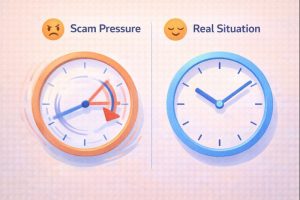
This is the scammer’s most powerful tool. They don’t want you to have time to google, call a friend, or sleep on it. They create a fake crisis that needs to be solved right now.
Listen to the feeling a message creates:
- “Urgent! Your account will be suspended in 24 hours if you don’t verify your details.”
- “This offer expires in the next hour. Click now to claim your prize!”
- “I’m in trouble and need you to wire money right away. Don’t tell anyone.”
What to do instead: Pause. A real company or a real friend in trouble will give you time to think and won’t pressure you into acting instantly. If you feel rushed, that’s your cue to slow way down. This urgent pressure often comes packaged with another major warning sign: a request to go somewhere unusual.

Check the Address: Spotting Fake Links and Emails
Scammers are great at disguising themselves. They make emails look like they’re from Amazon, and websites look like your bank’s login page. Here’s how to see through the disguise.
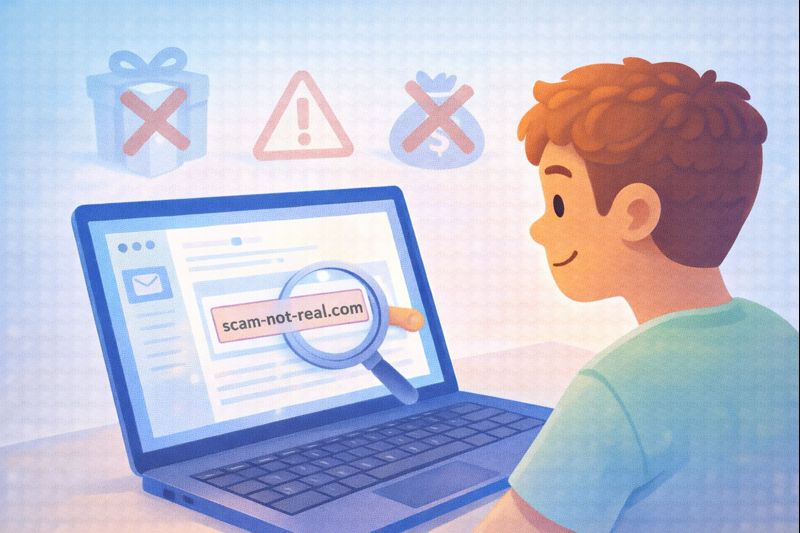
Hover, Don’t Hop: Before you click any link in an email or message, hover your mouse cursor over it (on a computer) or press and hold it (on a phone). A little box will pop up showing the real web address. Does it match the company’s real website? If an email says it’s from Netflix, but the link goes to “netflix-security-verify.ru“, it’s a scam. Legitimate companies use their own simple domain names.
Check the Sender’s Email: Look closely at the email address it came from, not just the display name. A scammer might set the display name to “Apple Support,” but the actual email could be support-apple@secure-service.biz. Official emails come from the company’s domain (e.g., @apple.com).
Look for Bad Grammar: Many scam emails and websites are filled with odd phrasing, spelling mistakes, and strange formatting. Big companies have teams of people who check this stuff. A message full of errors is a huge red flag.
This “check the address” rule is your best defense against phishing—the act of tricking you into entering your password on a fake site. But scammers don’t only use fear; they also use greed.
If It Seems Too Good to Be True, It Is
This old saying is the golden rule of the internet. Scammers know we love a win.
- “You’ve won a free iPhone! Just pay a small shipping fee.” (You’ll pay the fee and get nothing).
- “Invest in this cryptocurrency and double your money in a week!” (This is a classic “pig butchering” investment scam).
- A random person online wants to send you money or buy your item for far more than it’s worth. (They’ll send a fake check or ask for your bank details).
These offers are designed to bypass your logic with excitement. Before you get excited, get skeptical. Ask yourself: “Why would a stranger give me something for nothing?” The answer is always: they wouldn’t. To understand how big this problem is, we can look at the data. The FBI’s Internet Crime Complaint Center (IC3) notes in its latest annual report that scams like these, particularly phishing and investment fraud, consistently result in the highest reported financial losses for victims, highlighting how effective and damaging these tactics can be.
A Simple Checklist Before You Click, Buy, or Reply
When in doubt, run through these quick questions. Think of it as a “scam spotting” checklist:
- Am I feeling rushed or pressured? (If yes, stop.)
- Do I recognize the sender’s email or phone number? Is it slightly off?
- Was I expecting this message? Did I sign up for this contest or request this password reset?
- Does the offer make logical sense? Is a stranger really offering me free money?
- Can I verify this another way? Instead of clicking the link, can I log into my account directly by typing the website myself, or call the company using a number from their official website?
If you answer “no” or “I’m not sure” to any of these, it’s safest to walk away. A little caution protects you from a lot of trouble. Now, let’s talk about one of the most common gateways for scams: the websites and apps you use every day.
Lock the Digital Doors: Passwords and Updates
Sometimes, avoiding scams is less about spotting a tricky email and more about building strong digital habits that keep scammers out in the first place.
Use strong, unique passwords
If you use the same simple password everywhere, a breach at one site gives scammers a key to all your accounts. Use a mix of letters, numbers, and symbols. Better yet, use a password manager—it’s a simple app that creates and remembers strong, unique passwords for you.
Turn on Two-Factor Authentication (2FA)
This adds a second step to logging in, like a code sent to your phone. Even if a scammer gets your password, they can’t get in without that code. It’s the single best thing you can do to secure important accounts.
Update your software
hose update notifications for your phone, computer, and apps aren’t just for new features. They often include critical security patches that fix holes scammers could use to get in. Please update!
These habits build a strong wall around your digital life. Even with the best habits, you might still have questions about specific situations.
Your Scam-Spotting Questions, Answered
Q1: What should I do if I think I already clicked a scam link?
A: Don’t panic. First, if you entered a password, change it immediately on the real website. Run a virus scan on your computer. Monitor your bank and credit card statements closely for any strange charges.
Q2: Are text message (SMS) scams common?
A: Yes, very. They’re called “smishing.” The same rules apply: don’t click links from unknown numbers, and be wary of texts about package deliveries or account problems you didn’t expect.
Q3: Is it safe to use public Wi-Fi?
A: Be careful. Don’t do banking or enter passwords on public Wi-Fi (like at a café or airport) unless you use a VPN (Virtual Private Network). Scammers can sometimes snoop on unsecured public networks.
Q4: Someone is threatening me online, saying they have embarrassing info. What do I do?
A: This is “sextortion” or blackmail. Do not pay. Paying proves you’re willing to pay and they will demand more. Stop all contact, block them, and report the account to the platform. Save the messages but don’t engage.
Conclusion
Learning how to avoid online scams is like learning to spot a pickpocket in a crowded market. At first, you might feel nervous, but soon you recognize the suspicious behavior—the lingering, the distraction, the bump. Online, the “bumps” are urgent messages, strange links, and unbelievable offers.
You don’t need to be afraid of the internet. You just need to trust your gut when something feels “off,” and have a few simple tools like checking links and pausing before you act. By combining a little healthy skepticism with strong digital habits like good passwords and 2FA, you can browse, shop, and chat online with so much more confidence and safety. The internet is an amazing place; let’s make sure you get to enjoy all the good parts, worry-free.